
Video Player Features: 12 Things to Check Before You Choose
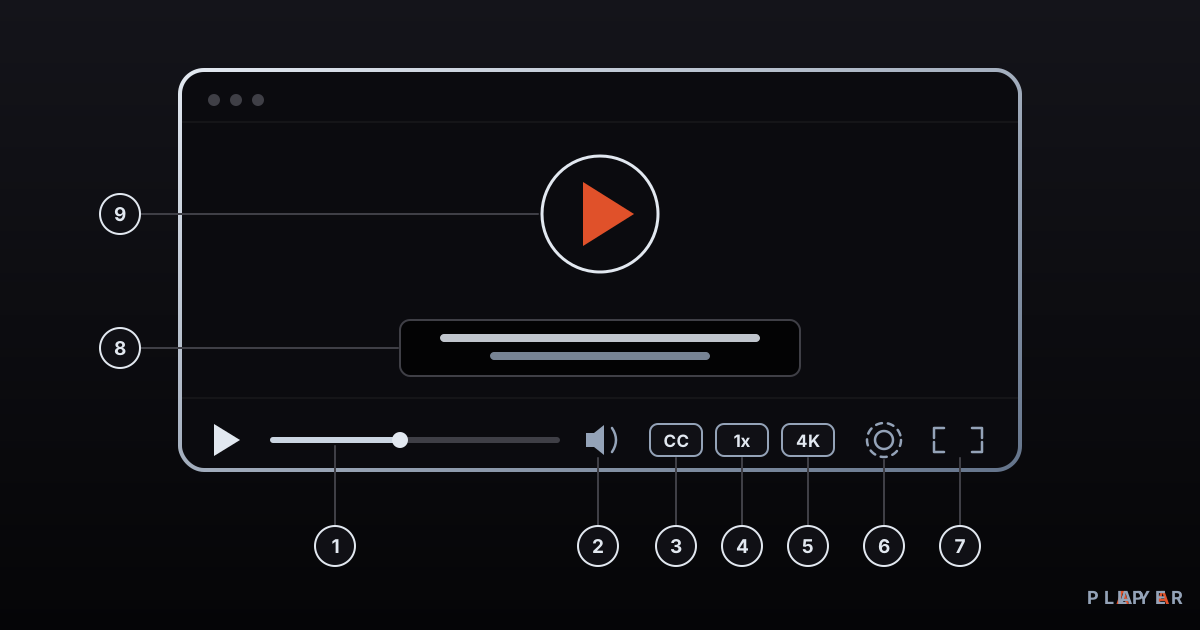
Short answer: When choosing a video player, check format and codec support, streaming and playlist support, subtitle and audio options, how well the interface works with a remote, and its security features. Daily comforts such as resume playback matter too. This guide gathers all of it into one 12-point checklist you can use in minutes.
Key takeaways
- The video player features that matter fall into 12 groups: formats, engine, streaming, subtitles, audio, controls, interface, resume, organization, security, platforms and updates.
- Judge each feature with a quick test on your own files rather than by the marketing promise.
- On a TV, remote-friendly navigation, resume playback and favorites do the most to make daily use pleasant.
- Security features such as encrypted password storage and sensible permissions are often overlooked, yet matter as much as format support.
- Alpa Player's known features are mapped to this checklist below; if you need something that is not listed, test it first.
Most of us pick a video player by asking one question: does my file open? Daily comfort is decided by dozens of smaller things, such as subtitles that display correctly, an audio track you can switch, a player that remembers where you stopped, and a TV interface that works with a remote. This guide boils the long list of video player features down to 12 that really matter and shows how to test each one in a few minutes. If you want the basics first, read what a media player is.
Which video player features matter most?
The features that matter most range from format support to security, and they fit into 12 groups. The table explains why each one counts and how you can try it yourself.
| # | Feature | Why it matters | How to test it |
|---|---|---|---|
| 1 | Format and codec support | Decides whether a file opens at all | Open the toughest MKV or H.265 file you have |
| 2 | Hardware decoding and playback engine | Affects smoothness, battery life and compatibility | Play a high-resolution video; does it stutter, and can you switch engines? |
| 3 | Streaming and playlist support | Needed for M3U, M3U8, HLS and RTSP sources | Try a test stream or your own playlist |
| 4 | Subtitle support | Critical for foreign-language content and accessibility | Load an SRT file with accented characters |
| 5 | Audio options | You may need multiple language tracks and delay adjustment | Switch the audio track during playback |
| 6 | Playback controls | Seeking, speed and chapter jumps shape comfort | Skip forward and back, change the speed |
| 7 | Interface and remote compatibility | Arrow-key navigation is essential on a TV | Go through the whole app without touching a mouse |
| 8 | Resume playback | Saves time on long content | Close a video and reopen it |
| 9 | Favorites and organization | Helps you find things fast across many sources | Add a favorite and come back to it |
| 10 | Security and privacy | Passwords and addresses are sensitive data | Read the permissions, the storage method and the privacy policy |
| 11 | Platform coverage | Keeps the same experience across your devices | Is there a version for your phone, computer and TV? |
| 12 | Updates and support | Brings new codecs and security fixes | Check the latest release date and change notes |
Optional extras such as screen casting, picture-in-picture and offline viewing exist too. Treat them as bonuses outside the core list and weigh them against your own needs.
Why does format and codec support come first?
Format and codec support comes first because nothing else matters if the player cannot read your file. Two layers are involved: the container (the file's box, such as MP4, MKV or WebM) and the codec inside it (the compression method, such as H.264, H.265 or AV1).
We explain the container difference in MP4 vs MKV and the codecs in H.264, H.265 and AV1 compared. The short rule: two files with the same extension may behave differently in the same player because they hold different codecs.
Hardware decoding and engine choice
Hardware decoding hands the decoding job to a dedicated video block in the device. It uses less power and helps heavy content such as 4K stay smooth, but not every device can decode every codec in hardware. That is why the ability to switch playback engines is valuable: one engine may stutter on a video that another plays perfectly. We compare two popular engines in ExoPlayer vs VLC playback engines.
Why do streaming and playlist support matter?
Streaming and playlist support lets you watch a video from an address without downloading it first. Three pieces make up this support.
- Playlists: M3U and M3U8 files gather many sources into one list. See what an M3U file is for the structure and M3U8 explained for how the two differ.
- HLS: A delivery method that cuts video into short segments and can adjust quality to your connection speed. Read what HLS is.
- RTSP: Common with IP cameras and surveillance systems.
Before adding your own list, it is smart to test with openly licensed sample streams. We collected some in free test video streams.
What should subtitle and audio options look like?
A good player lets you change subtitles and audio tracks while you watch, without stopping the video. For subtitles, look at these points.
- Formats: SRT is the most common, WebVTT is used on the web, and ASS/SSA supports advanced styling. We compare them in subtitle formats.
- Character encoding: Accented letters that show up as garbage usually point to an encoding mismatch. A player that lets you change the encoding saves the day.
- Appearance and timing: Adjustable size, color and delay give you a cinema-like experience.
For audio, switching between language tracks and correcting audio delay are the key settings. If lips and voices drift apart, see how to fix audio out of sync.
Which video player features stand out on a TV?
On a TV, the features that stand out are smooth remote navigation, resume playback and favorites. There is no mouse or keyboard, so every extra step with the remote feels like a chore.
- Arrow-key navigation: Focus should never get lost, and the back button should do what you expect.
- Resume playback: Makes it easy to watch long films or series in pieces. We cover it in resume playback and favorites.
- Easy source entry: Sending a long address from your phone beats typing it with a remote. More ideas are in smart TV remote tips.
- Program guide: If you use live streams, a screen showing what airs when is a big convenience.
What security and privacy features should a player have?
The first security feature to check is how the player stores the addresses and passwords you add. Server account details, usernames and passwords are sensitive. Look for these things.
- Encrypted storage: Credentials should be kept encrypted rather than as plain text.
- Hidden on screen: An address or password should not be visible in a screenshot or to someone across the room.
- Permissions: Question why a player would need your contacts, location or microphone.
- Download source: Use only the official store or the developer's own site.
There is more in media player privacy and security.
Which of these features does Alpa Player offer?
Alpa Player is a free media player developed by Alpa Yazılım. Below, its known features are matched to the checklist numbers.
- 1 and 3, formats and sources: M3U and M3U8 playlists, HLS streams, MP4, MKV, RTSP and more. You can add a playlist address, a single video or stream link, a server account from your provider, or an organization account.
- 2, engine: On Android, the default engine is based on ExoPlayer (Media3), with a VLC engine and an external player option as well.
- 7, interface: Clean in the spirit of Apple TV and Netflix, equally easy with remote, touch or mouse, and fluid arrow-key navigation on a TV.
- 8 and 9, everyday comfort: Resume playback, favorites, recently watched items and a program guide.
- 10, security: Addresses and passwords you add are stored encrypted with AES-256 in the device's secure storage, never shown on screen, and never sent to Alpa Yazılım.
- 11, platforms: Android, Android TV and Google TV, Samsung TV (Tizen 2020 and later), LG TV (webOS 2020 and later) and Windows. An iPhone and iPad version is coming soon.
We make no claims here about details such as subtitles, audio track selection or playback speed; if they matter to you, run a short test with your own file. Alpa Player has no ready-made channels, movies, shows or lists and is not a streaming service; you add sources you have the right to use. For remote upload, you enter the MAC address and 6-digit key shown in the app on the upload page. Every upload is logged with the IP and MAC address, and the uploader is responsible for it. To try the app, download Alpa Player for free.
How do you use this checklist?
The best way to use the checklist is to sort the items into must-haves and nice-to-haves, so shiny features you will never use do not sway your decision.
- Mark the items that are must-haves for you. For many people these are 1, 3 and 7.
- Pick two or three candidate players and test each with your own files and sources for 10 minutes.
- Do not skip the security item (10); learn how even a free app stores your passwords.
- Clarify the cost model. Our article on free video players explains the options.
- Before you decide, compare options in best media player.
Frequently asked questions
What is the most important feature in a video player?
There is no single answer, but format and codec support always comes first; if the player cannot open the file, nothing else matters. On a TV, comfortable remote navigation and resume playback shape daily use more than anything else.
Why is hardware decoding important in a video player?
Hardware decoding lets a dedicated video block in the device do the decoding. It spares the main processor, so it saves battery and keeps heavy content such as 4K smooth. Not every device decodes every codec in hardware, which is why being able to switch playback engines is useful.
Why do accented characters in subtitles look broken?
Usually the subtitle file's character encoding does not match what the player expects. If a file was saved in an older encoding and the player assumes UTF-8, accented letters turn into garbage. Changing the encoding in the player, or re-saving the file as UTF-8, normally fixes it.
What features does Alpa Player have?
Alpa Player plays M3U and M3U8 playlists, HLS streams, MP4, MKV, RTSP and more. It offers resume playback, favorites, recently watched items and a program guide, stores credentials with AES-256, and runs on Android, Android TV, Samsung, LG and Windows.
What should I look for in a TV video player?
Start with comfortable remote use: arrow-key navigation, clear focus and a sensible back button. Then confirm that adding a source is easy, that playback resumes where you left off, and that your TV's model year is supported. Samsung and LG sets in particular depend on the model year.
Sources
Related articles
 Media player guide
What Is a Media Player? How It Works
What is a media player and how does it turn files and streams into picture and sound? Learn how it works, the main types, and how to choose one.
 Media player guide
Best Media Player Apps: How to Choose
There is no single best media player. Compare VLC, Kodi, MX Player, Plex and Alpa Player by device, formats, cost and privacy, then pick your fit.
 Media player guide
Free Video Player: What "Free" Really Means
What does a free video player really cost? See how open source, ad-supported and freemium models differ, which hidden costs to expect, and how to choose safely.