
What Is M3U8? M3U8 vs M3U, HLS Playlists, and How to Play Them
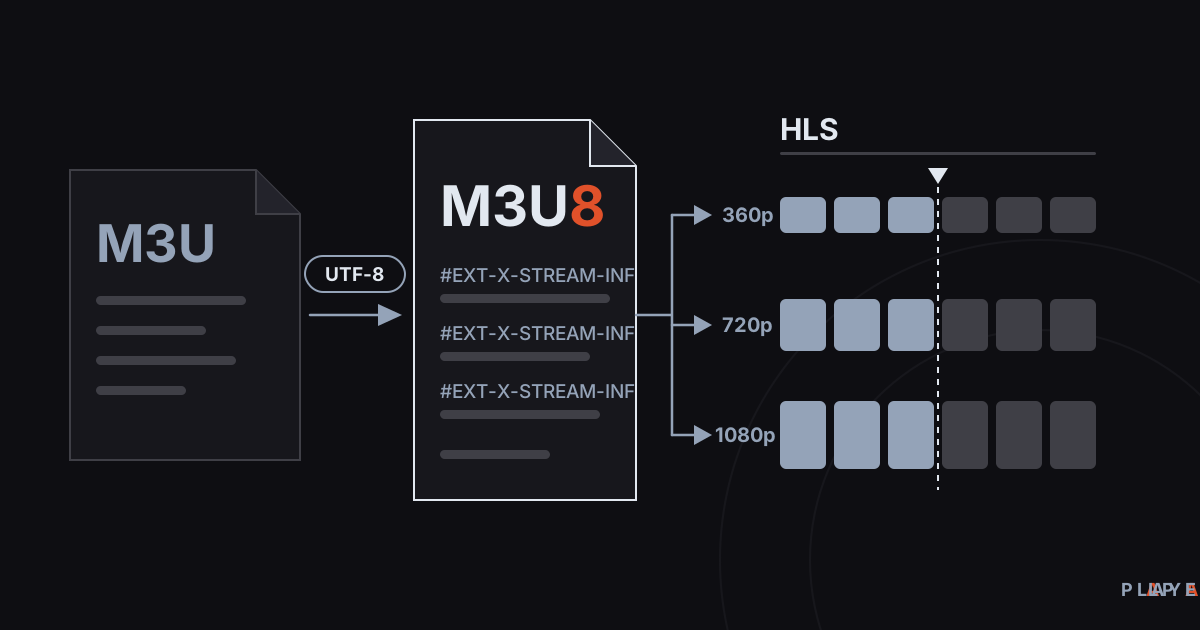
Short answer: M3U8 is an M3U playlist saved with UTF-8 character encoding. It does two jobs: as a plain playlist it lists media addresses in order, and in HLS streaming it serves as the manifest that describes a stream's segments and quality levels. The file holds no media itself; a player such as Alpa Player reads it and plays what it points to. In the M3U8 vs M3U comparison, encoding is the main difference.
Key takeaways
- M3U8 is M3U saved as UTF-8, so it carries accented and non-Latin characters safely.
- The same .m3u8 extension is used for ordinary playlists and for HLS streaming manifests.
- In HLS, a master playlist lists the quality options and a media playlist lists the segments of one quality.
- Open the file in a text editor to tell them apart: EXT-X-STREAM-INF marks a master playlist, EXT-X-TARGETDURATION a media playlist.
- M3U8 is only a format; making sure you may use what it points to is up to you.
The M3U8 vs M3U question comes down to one character, the "8," but in practice it is messier than that. The same .m3u8 extension can hold a hand-written music list or the file that describes every quality level of a live stream. This guide covers what M3U8 is, how it differs from M3U, how it relates to HLS, and how to play it, with real example lines.
These formats are central to what Alpa Player, a free media player developed by https://alpayazilim.com, plays.
What is M3U8?
M3U8 is an M3U playlist file saved with UTF-8 character encoding; the "8" in the extension refers to UTF-8. The structure is the same as M3U: plain text, one address per line, and tag lines that start with #.
Its most important use today is HLS (HTTP Live Streaming), the streaming technology created by Apple. RFC 8216 says an HLS playlist must be identifiable by a path ending in .m3u8 or .m3u, or by an HTTP content type of application/vnd.apple.mpegurl or audio/mpegurl. It also requires the file to be encoded in UTF-8 with no byte order mark (BOM).
If plain M3U is new to you, start with what is an M3U file and come back.
M3U8 vs M3U: what is the difference?
The real difference between M3U8 and M3U is character encoding; the structure and tags stay the same. M3U files are often saved in a system's legacy code page, while M3U8 guarantees UTF-8.
| Feature | M3U | M3U8 |
|---|---|---|
| Character encoding | Not defined, often a legacy code page | UTF-8 |
| Accented and non-Latin letters | Can break with the wrong encoding | Carried reliably |
| Extension | .m3u | .m3u8 |
| In HLS streaming | Allowed by the spec but rare | The standard choice |
| Typical use | Audio and video lists | Lists and HLS manifests |
| Structure | #EXTM3U, #EXTINF, addresses | The same, plus extra tags in HLS |
In short, every M3U8 can be treated as an M3U, but not every M3U is an M3U8. If a player opens both, the difference you notice is whether the characters display correctly.
What two jobs does an M3U8 file do?
An M3U8 file is either an ordinary playlist or the manifest of an HLS stream, and both use the same extension. Knowing which one you have tells you what to check when a link will not play.
1. As a playlist
Here M3U8 is a file listing separate media files or streams in order. Each entry is an address that can be played on its own.
#EXTM3U
#EXTINF:-1,Sample Stream
https://live.example.com/sample/index.m3u8
#EXTINF:215,Summer Trip
https://media.example.com/videos/summer-trip.mp4
2. As an HLS manifest
In HLS, an M3U8 file is not a list of different videos. It describes a single video or stream. The video is cut into small segments, and the M3U8 file lists their addresses and lengths in order. The player downloads the segments one after another and stitches them together. We unpack that in what is HLS streaming.
How do HLS master and media playlists differ?
HLS uses two kinds of M3U8 file: a master playlist that lists quality options and a media playlist that lists segments. Newer Apple documents also call the master playlist a "multivariant playlist."
The master playlist advertises the different qualities of one piece of content. Each quality gets an #EXT-X-STREAM-INF line, with the address of that quality's media playlist right below it:
#EXTM3U
#EXT-X-STREAM-INF:BANDWIDTH=800000,RESOLUTION=640x360,CODECS="avc1.42c01e,mp4a.40.2"
https://cdn.example.com/video/360p/playlist.m3u8
#EXT-X-STREAM-INF:BANDWIDTH=2800000,RESOLUTION=1280x720,CODECS="avc1.4d401f,mp4a.40.2"
https://cdn.example.com/video/720p/playlist.m3u8
A media playlist lists the actual segments. This one describes a finished, on-demand video (VOD):
#EXTM3U
#EXT-X-VERSION:3
#EXT-X-TARGETDURATION:6
#EXT-X-MEDIA-SEQUENCE:0
#EXT-X-PLAYLIST-TYPE:VOD
#EXTINF:6.000,
https://cdn.example.com/video/720p/segment0.ts
#EXTINF:6.000,
https://cdn.example.com/video/720p/segment1.ts
#EXTINF:4.200,
https://cdn.example.com/video/720p/segment2.ts
#EXT-X-ENDLIST| Tag | What it does |
|---|---|
#EXT-X-STREAM-INF | Defines one quality option in a master playlist; the BANDWIDTH attribute is required. |
#EXT-X-TARGETDURATION | The maximum segment length in seconds; required in a media playlist. |
#EXT-X-MEDIA-SEQUENCE | The sequence number of the first segment in the list. |
#EXTINF | The length of the segment that follows. |
#EXT-X-ENDLIST | No more segments are coming, so this is a finished video. |
A live stream has no #EXT-X-ENDLIST; the server keeps updating the list with new segments, and the player reloads it again and again to catch them. If you wonder why quality suddenly changes mid-stream, adaptive bitrate streaming explains it.
How can you tell what kind of M3U8 file you have?
You can identify an M3U8 file by opening it in a text editor and looking for a few tags. The file stops being a black box.
- If you see
#EXT-X-STREAM-INF, it is an HLS master playlist, and every address is another .m3u8 file. - If you see
#EXT-X-TARGETDURATIONand .ts or .m4s addresses, it is an HLS media playlist. - If you see only
#EXTINFlines and full media addresses such as .mp4 files, it is an ordinary playlist.
The distinction matters: an ordinary list means "play all of these in turn," while an HLS file means "play this one stream using these pieces."
Why does UTF-8 matter, and what is a BOM?
UTF-8 is a character encoding that can write nearly every letter and symbol in use worldwide, and it is where the "8" in M3U8 comes from. If your titles contain accented letters, they will look garbled whenever the file is not UTF-8.
One more detail is the BOM. A byte order mark is an invisible marker that some editors add at the start of a file. RFC 8216 says HLS playlists must not contain one, and a file with a BOM may not have its first line recognized as #EXTM3U, so the list may not open at all. When you save, pick plain "UTF-8" and leave out any "with BOM" option.
How do you play an M3U8 file?
To play an M3U8 file you need a media player with HLS and playlist support, because opening the file directly in a browser often does nothing useful. Safari can play HLS natively, while other browsers generally need a player library such as hls.js. Pasting an address into a tab and seeing text or a download prompt is therefore normal.
The reliable route is a media player:
- Computer: common players such as VLC open .m3u8 addresses.
- Android, TV, and Windows: Alpa Player plays M3U and M3U8 playlists as well as HLS streams.
- Try it in a browser: the Alpa Player browser demo runs on openly licensed sample streams; you do not add your own list there.
In Alpa Player you add the address on the add-source screen, either as a playlist address or as a single stream link. The steps are in how to add an M3U playlist. The app runs on Android phones and tablets, Android TV and Google TV, Samsung TV (Tizen 2020 and later), LG TV (webOS 2020 and later), and Windows. Download Alpa Player for free.
On Android the default engine is based on ExoPlayer (Media3), with a VLC engine and an external player as alternatives; a stream that stutters in one can run smoothly in another (see ExoPlayer vs VLC). For something safe to try, read free test video streams.
What if an M3U8 file will not play?
When an M3U8 fails, the problem is usually the address, the segments, or the connection. These are the most common causes.
| Symptom | Likely cause | What to do |
|---|---|---|
| Text shows up in the browser | The browser does not play HLS natively | Open it in a media player |
| The list opens but no picture appears | Segment addresses are unreachable or expired | Open the list in a text editor and test one segment address |
| Accented characters look broken | The file is not UTF-8 | Re-save it as UTF-8 |
| Quality keeps dropping | The connection speed fluctuates | See how to fix video buffering |
| Only one stream fails | Expired key or an offline server | Ask whoever owns the source or your provider |
What should you know about legal use and safety?
M3U8 is only a file format and using it is legal; any legal question concerns the content it points to. In most countries, copyright laws make it illegal to publish or watch content without permission or a license. This article is not legal advice.
Alpa Player has no built-in channels, movies, series, or lists, and it is not a streaming service. Saved addresses and passwords are kept encrypted with AES-256 in the device's secure storage, are not shown on screen, and are not sent to Alpa Yazılım. When a user uploads a list through the website, the user is responsible for it, and every upload is recorded with the IP and MAC address. See the legal notice for details.
Weighing HLS against its main rival? See MPEG-DASH vs HLS.
Step by step: How to write a simple M3U8 playlist by hand
- Open a plain-text editor and type #EXTM3U on the first line.
- For each entry, add an #EXTINF line and put the media address directly below it.
- Save the file as UTF-8 without a BOM, with the .m3u8 extension.
- Open the file in a media player and check that every entry plays.
Frequently asked questions
What is the difference between M3U8 and M3U?
The structure is identical; the difference is character encoding. M3U8 is M3U saved in UTF-8, so it carries accented and non-Latin characters reliably. HLS streams also use the .m3u8 extension for their playlists. M3U files, by contrast, are often saved in a system's legacy code page.
How do I open an M3U8 file?
Open it in a text editor to read the contents, or in a media player to play it. Pasting the address into a browser usually does not show video. With Alpa Player, VLC, or another player that supports HLS and playlists, you simply give the player the file or its address.
Is M3U8 a video format?
No. M3U8 is a list or description file, not a video format. In HLS the picture and sound live in separate small segments, usually .ts or .m4s files, and the M3U8 file only states their order and addresses. The file itself contains no video data.
Is every .m3u8 link an HLS stream?
No. The same extension serves ordinary playlists and HLS manifests. Open the file in a text editor: if you see #EXT-X-STREAM-INF or #EXT-X-TARGETDURATION it is HLS, and if you see only #EXTINF and full media addresses it is an ordinary list.
How do I play an M3U8 file on my phone or TV?
Install a media player that supports M3U8 and HLS, then add the address to it. Alpa Player runs on Android phones, Android TV, Samsung and LG TVs, and Windows, and you add the address on the add-source screen. On a TV you can also upload the list from the website instead of typing.
Is M3U8 safe?
The file is plain text and cannot run code. Safety depends on the servers its addresses lead to. Avoid addresses from sources you do not know, and do not share a file whose addresses contain a username or password.
Does an M3U8 file change over time?
An ordinary list stays the same unless you edit it. In HLS it depends: the media playlist of a finished video (VOD) is fixed, while a live stream's media playlist is updated by the server as new segments appear, and the player keeps reloading it.
Sources
Related articles
 Streaming technology
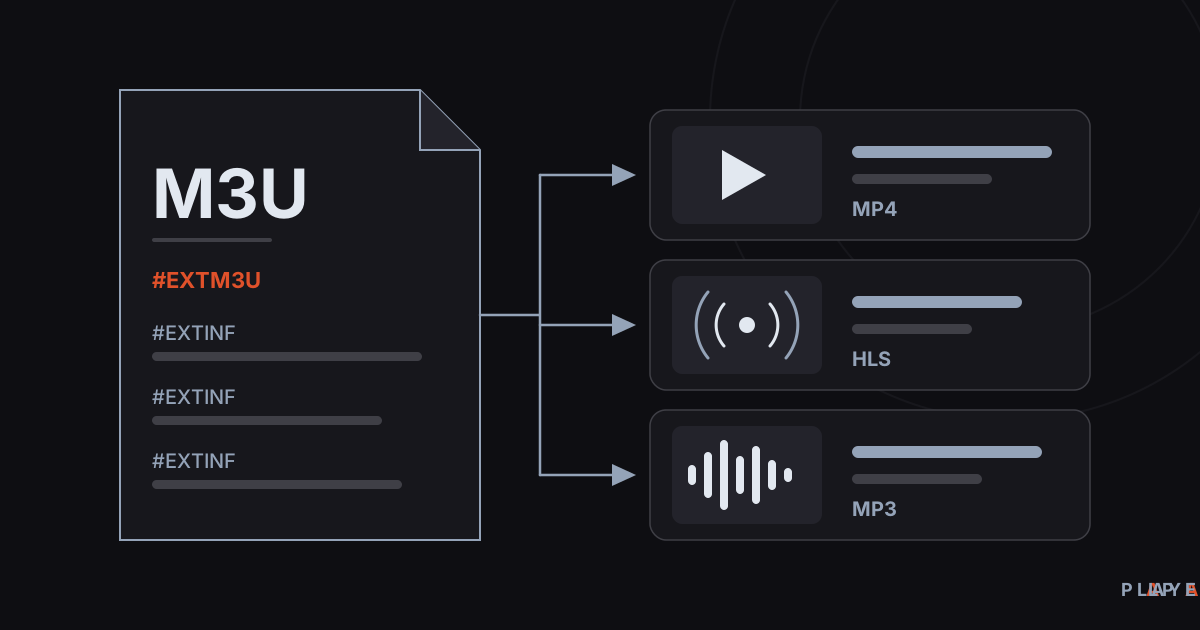
What Is an M3U File? Structure and How to Open It
What is an M3U file? Learn how this plain-text playlist format works, what the #EXTINF lines mean, and how to open an M3U file on any device.
 Streaming technology
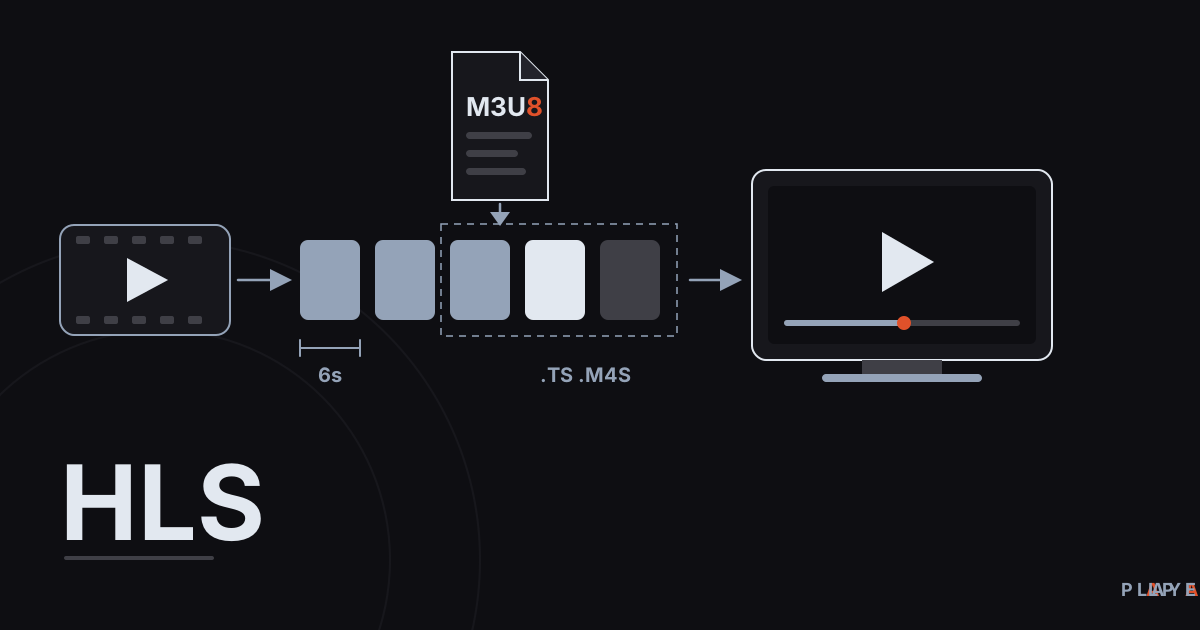
HLS Streaming Explained: How HTTP Live Streaming Works
HLS streaming explained in plain language: how HTTP Live Streaming cuts video into segments, what .m3u8 playlists do, and why live streams lag.
 Streaming technology
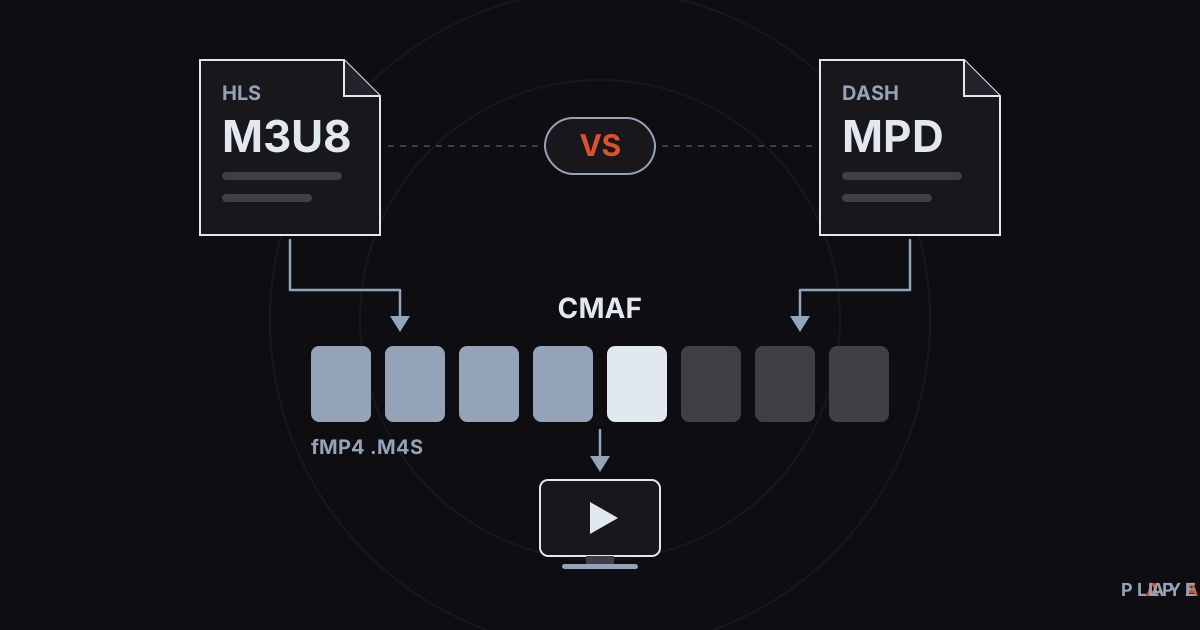
DASH vs HLS: Differences, Compatibility, and CMAF
DASH vs HLS compared: how MPEG-DASH and HLS manifests differ, which devices play each one, and how CMAF lets both share the same video segments.