
Adaptive Bitrate Streaming (ABR): How Video Quality Follows Your Connection
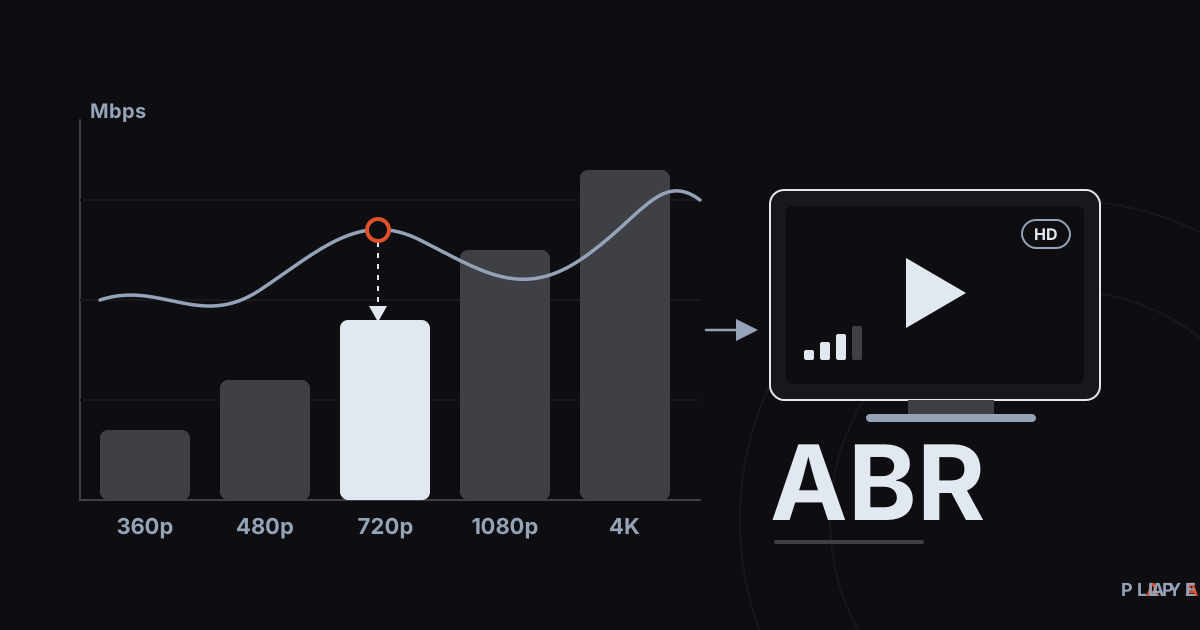
Short answer: Adaptive bitrate streaming (ABR) is a method where the same video is prepared in several quality levels and the player picks the best fit for each segment based on connection speed. If your internet slows, quality drops; when it recovers, quality rises, so playback keeps flowing. HLS and MPEG-DASH both use it, and the HLS streams Alpa Player plays work this way too.
Key takeaways
- In ABR the same video exists in several qualities, and the player switches between them as your connection changes.
- Switches happen between segments, so playback usually keeps going, though the picture may turn soft for a while.
- The player decides from measured download speed, how much video is buffered, and device limits.
- The usual causes of quality drops are Wi-Fi trouble, a shared connection, and network congestion.
- A wired connection, 5 GHz Wi-Fi, and fewer devices online at once improve quality stability the most.
Adaptive bitrate streaming explains why a video can look sharp one minute, soft the next, and sharp again without you touching anything. That is not a fault; it is a deliberate design. When your connection slows down, the player lowers the quality so the picture does not freeze. This article covers what adaptive bitrate streaming (ABR) is, how the player makes its choices, and what you can do about it.
Alpa Player, a free media player developed by https://alpayazilim.com, plays HLS streams, and the quality changes in those streams follow the logic described here.
What is adaptive bitrate streaming?
Adaptive bitrate streaming (ABR) is a delivery method in which one video is prepared at several quality levels and the player moves between them automatically to match its connection speed. The goal is the highest quality that can play without freezing.
Bitrate is the amount of data each second of video carries, measured in Mbps (megabits per second). A higher bitrate usually means a sharper picture and more data. The relationship between bitrate, resolution, and frame rate is explained in bitrate vs resolution.
ABR is the foundation of streaming technologies such as HLS and MPEG-DASH. We cover them in what is HLS streaming and MPEG-DASH vs HLS.
How does adaptive bitrate streaming work?
With ABR, a video is encoded at several qualities, each quality is cut into short segments, and the player decides for each segment which quality to fetch. The process runs like this:
- The publisher encodes the video at different resolutions and bitrates; this set is called a bitrate ladder.
- Each quality is cut into segments a few seconds long, with boundaries that line up across qualities.
- The player downloads the manifest that lists the qualities (an .m3u8 in HLS, an .mpd in DASH).
- It starts at a low or medium quality and measures how fast the first segments arrive.
- From that measurement it raises, keeps, or lowers the quality for each new segment.
Because switches happen at segment boundaries, moving from one quality to another does not interrupt playback. For this to work, the segment boundaries of all qualities must fall at the same moments, and the publisher prepares the encoding accordingly.
Why does video quality change on its own?
Video quality changes because your connection's real speed changes from moment to moment. Many things make speed fluctuate:
- Wi-Fi signal: distance from the router, walls, and interference from neighboring networks cut speed.
- Shared connection: when other devices on the same line are downloading, less is left for you.
- Evening congestion: your provider's network can slow down at busy hours.
- Server side: if the server or CDN delivering the stream is busy, downloads slow.
- The content itself: fast-moving scenes need far more data than still ones.
That last point shows that quality drops do not always come from the network. Action scenes need a higher bitrate even at the same quality level. The HLS specification reflects this by defining two values in a master playlist: BANDWIDTH, the peak segment bitrate, and AVERAGE-BANDWIDTH, the average.
How does a player choose the quality?
A player picks quality by looking at three things: the download speed it measured, how much video sits in its buffer, and what the device can handle. The rules that combine these signals are called an ABR algorithm.
| Approach | What it watches | Strength | Weakness |
|---|---|---|---|
| Throughput-based | Download speed of recent segments | Reacts quickly to change | Quality jumps if the measurement is noisy |
| Buffer-based | Seconds of video in the buffer | Stable, smooths sudden drops | Can start slowly |
| Hybrid | Both together | Balanced | More complex |
Players do not spend all of the measured speed; they keep a safety margin. In a hypothetical example, say the measured speed is 8 Mbps and the player treats only part of it as safe, giving a budget of 6 Mbps. Then a 5 Mbps quality can be chosen and an 8 Mbps one cannot. The margin is not a fixed ratio, and each player tunes its own.
Three more rules shape the decision. Players are cautious going up and quick going down, because an empty buffer means a freeze. A small threshold avoids switching too often. And devices have limits: on a small screen, fetching very high resolution is pointless, and a profile the device cannot decode is never picked.
What does a bitrate ladder look like?
A bitrate ladder is the list of resolution and bitrate pairs a video is offered in. The table gives a common example; real values vary by content, codec, and publisher.
| Resolution | Example bitrate | Typical use |
|---|---|---|
| 360p | About 0.5-1 Mbps | Phones, slow connections |
| 480p | About 1-2 Mbps | Small screens, average connections |
| 720p (HD) | About 2.5-4 Mbps | Tablets, laptops |
| 1080p (Full HD) | About 4.5-8 Mbps | TVs, large screens |
| 2160p (4K) | About 15-25 Mbps | 4K TVs, fast and stable connections |
In HLS this ladder is written in the master playlist, one #EXT-X-STREAM-INF line per rung. For example:
#EXTM3U
#EXT-X-STREAM-INF:BANDWIDTH=900000,AVERAGE-BANDWIDTH=700000,RESOLUTION=640x360,CODECS="avc1.42c01e,mp4a.40.2"
https://cdn.example.com/video/360p/playlist.m3u8
#EXT-X-STREAM-INF:BANDWIDTH=3000000,AVERAGE-BANDWIDTH=2500000,RESOLUTION=1280x720,CODECS="avc1.4d401f,mp4a.40.2"
https://cdn.example.com/video/720p/playlist.m3u8
#EXT-X-STREAM-INF:BANDWIDTH=6000000,AVERAGE-BANDWIDTH=5000000,RESOLUTION=1920x1080,CODECS="avc1.640028,mp4a.40.2"
https://cdn.example.com/video/1080p/playlist.m3u8
The file itself is explained in what is M3U8, and the speed each quality needs is tabulated in internet speed for streaming.
Why does quality not recover right away?
Quality does not bounce back immediately because the player wants to be sure the speed has truly recovered, and because switches only happen at segment boundaries. When segments are a few seconds long, it can take ten seconds or more for the new quality to appear.
On top of that, the buffer already holds low-quality segments that must play out before the better ones show up. So the picture can stay soft for a while after your connection improves. That is a deliberate choice for stability, not a bug.
What are the limits of adaptive bitrate streaming?
ABR is very effective against fluctuating connections, but it does not fix everything. Knowing its limits helps you tell what ABR can and cannot repair.
- Bottom rung too heavy: if even the lowest quality is bigger than your connection, the picture stalls despite the drop.
- Single-quality sources: a plain MP4 file or a single-bitrate camera feed (such as RTSP) offers no choices, so the player has nothing to switch to.
- Delayed reaction: since switches happen at segment boundaries, a sudden drop can take a few seconds to answer.
- Too many switches: on a very unstable network quality can bounce up and down; algorithms try to prevent it but cannot always.
What can you do when quality keeps dropping?
When quality keeps dropping, the most effective steps are improving the connection and trying a few simple things on the device. Work through these in order:
- Connect the TV or box with an Ethernet cable if you can; see Wi-Fi vs Ethernet for streaming.
- On Wi-Fi, switch to the 5 GHz band and move closer to the router.
- Check that other devices are not running big downloads or streams at the same time.
- Run a speed test and compare the result with what your chosen quality needs.
- Restart the router.
- On Android, change the playback engine: besides the default ExoPlayer (Media3) based engine, Alpa Player offers a VLC engine and an external player option.
- If only one stream misbehaves, ask whoever provides that source.
For a wider troubleshooting list, follow how to fix video buffering. Manual quality selection varies from player to player; where it exists, it overrides the automatic choice.
How does Alpa Player fit in?
Alpa Player plays HLS streams along with M3U and M3U8 playlists, and the quality changes in an HLS stream are decided by the ladder the stream's source offers. The app runs on Android phones and tablets, Android TV and Google TV, Samsung TV (Tizen 2020 and later), LG TV (webOS 2020 and later), and Windows. Download Alpa Player for free.
The app has no built-in channels, movies, series, or lists, and it is not a streaming service. Having the right to use whatever you add is your responsibility, and in most countries copyright laws make it illegal to publish or watch content without permission or a license. This article is not legal advice. Saved addresses and passwords are kept encrypted with AES-256 in the device's secure storage, are not shown on screen, and are not sent to Alpa Yazılım. See the legal notice for details.
Frequently asked questions
What does adaptive bitrate mean?
Adaptive bitrate streaming (ABR) means one video is prepared in several quality levels and the player switches between them automatically to match your connection speed. When the connection slows, quality drops; when it speeds up, quality rises. The goal is the best quality that plays without freezing.
Why does my video suddenly turn blurry?
The player noticed your connection speed fall and began downloading lower-quality segments. The cause may be Wi-Fi signal, a shared connection, or network congestion. When speed recovers, the player raises the quality again, though that can take a few segments.
Is ABR only used in HLS?
No. ABR is a method, and both HLS and MPEG-DASH use it. Most popular video services work on the same principle. For how the two technologies differ, read MPEG-DASH vs HLS.
Can I lock the quality manually?
That depends on the player. Some players offer manual quality selection, and a manual choice switches off the automatic adjustment. Picking a higher quality than your connection can sustain may cause freezing, so measure your internet speed first.
Does adaptive streaming use more data?
ABR by itself does not raise data use. The data consumed depends on the bitrate of the quality being played. Higher quality, or a fast connection that lets the player climb to the top rung, downloads more; lower quality uses less.
How can I stop quality from dropping?
A wired connection is the most effective fix. On Wi-Fi, prefer the 5 GHz band and stay close to the router, and pause large downloads elsewhere. If problems persist, run a speed test and compare it with the speed your chosen quality needs.
Sources
Related articles
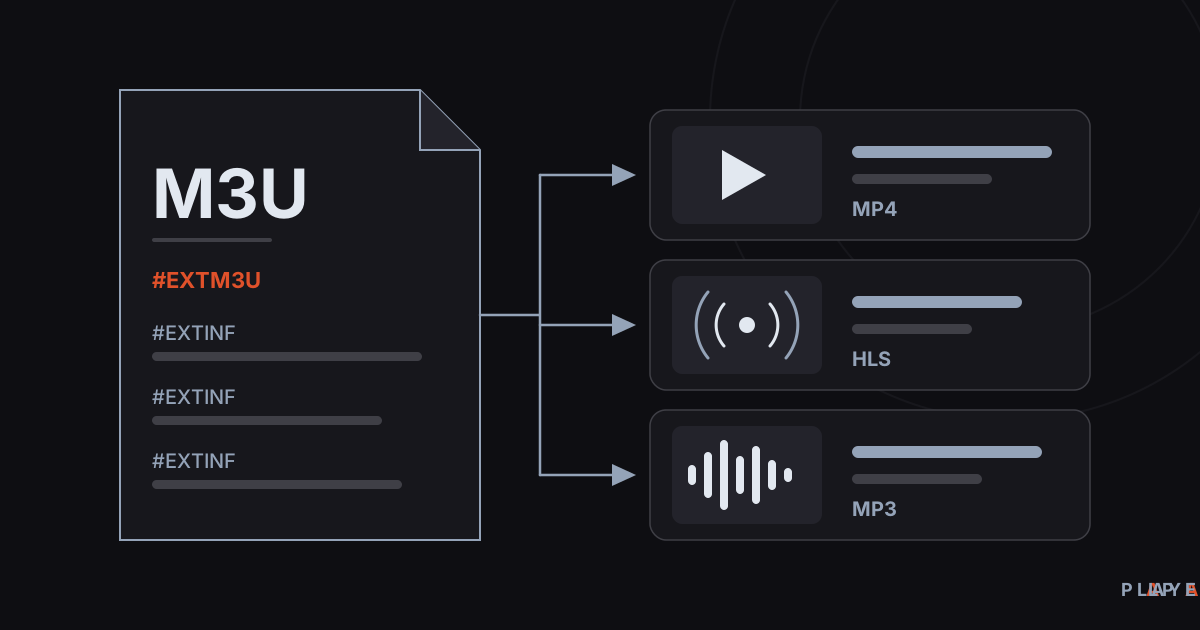 Streaming technology
What Is an M3U File? Structure and How to Open It
What is an M3U file? Learn how this plain-text playlist format works, what the #EXTINF lines mean, and how to open an M3U file on any device.
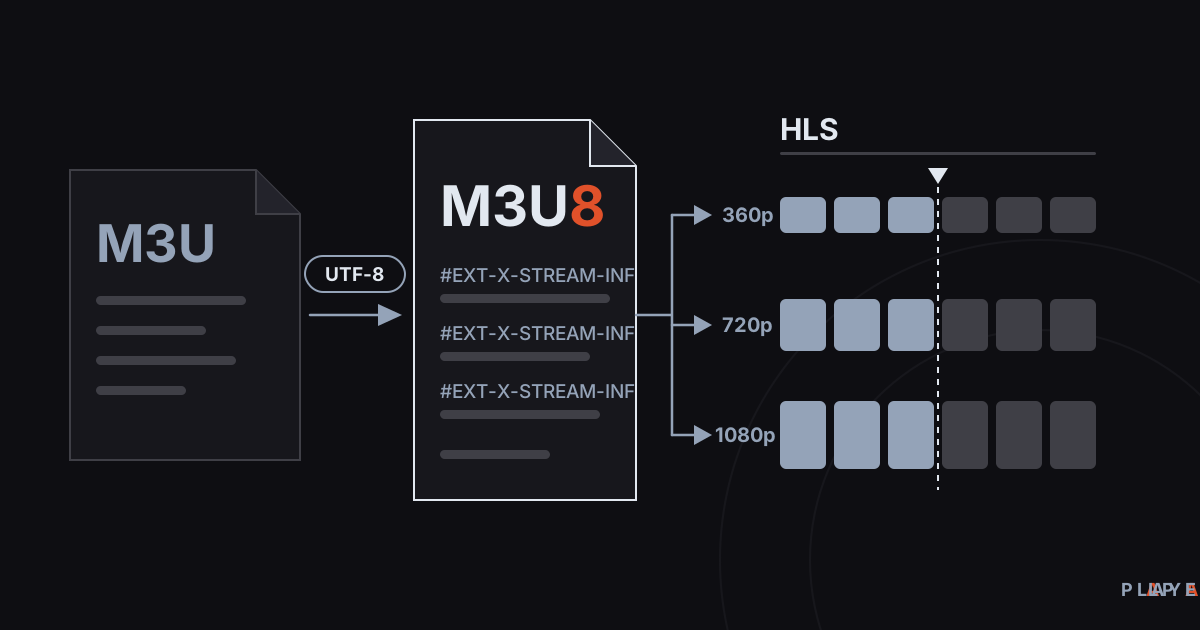 Streaming technology
M3U8 vs M3U: Differences and How to Play M3U8
M3U8 vs M3U explained: how the UTF-8 playlist differs from M3U, what role it plays in HLS streaming, and how to play .m3u8 files on any device.
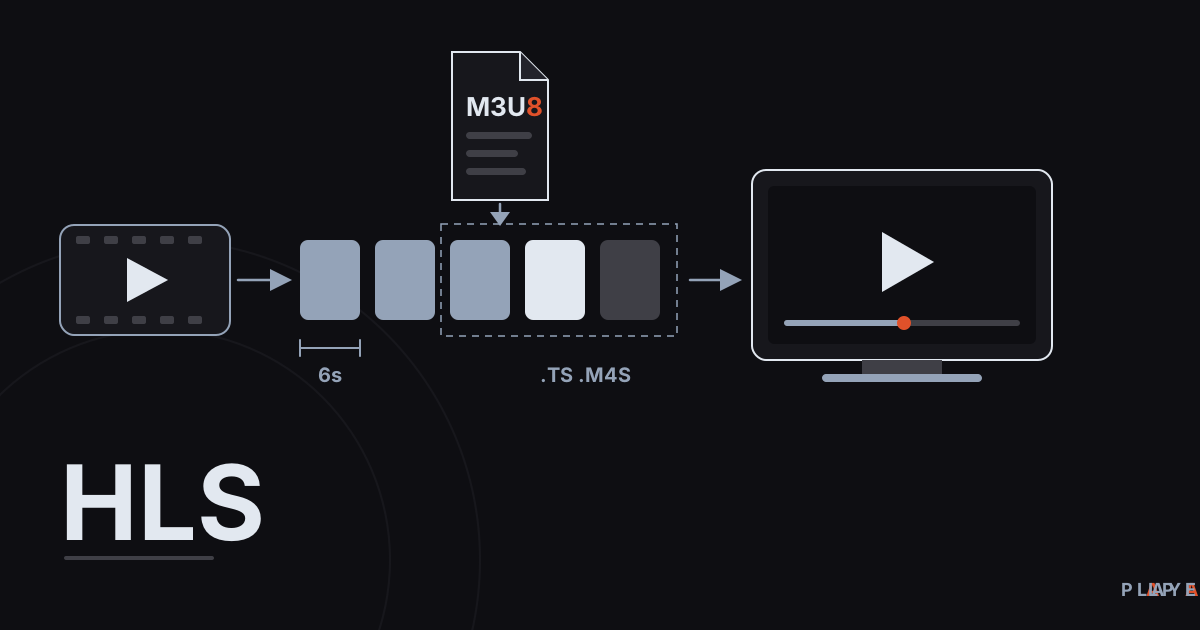 Streaming technology
HLS Streaming Explained: How HTTP Live Streaming Works
HLS streaming explained in plain language: how HTTP Live Streaming cuts video into segments, what .m3u8 playlists do, and why live streams lag.