
ExoPlayer vs VLC: what a playback engine is and which one to use
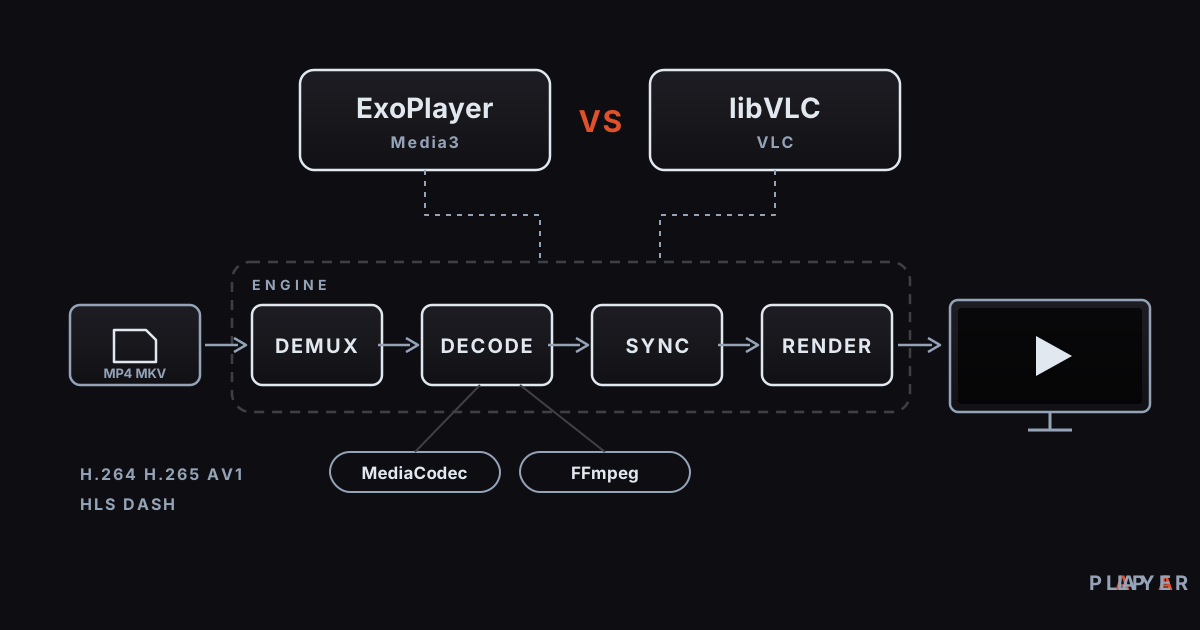
Short answer: A playback engine is the software layer that reads a video, decodes audio and picture, keeps them in sync, and sends them to the screen. On Android the two best-known engines are Google's ExoPlayer (Media3) and VideoLAN's libVLC. ExoPlayer leans on the phone's built-in codecs; libVLC carries its own decoders. Alpa Player on Android defaults to an ExoPlayer-based engine and also offers a VLC engine and an external player.
Key takeaways
- A playback engine does the real work under a player's interface: reading, decoding, syncing, and rendering; one interface can sit on top of different engines.
- ExoPlayer is Google's open-source Android engine, maintained inside Jetpack Media3; libVLC is the cross-platform core library behind VLC.
- ExoPlayer shines with adaptive streams (HLS, DASH) and hardware decoding; libVLC shines with rare formats and codecs a device does not support.
- No engine wins everywhere, so the quickest diagnosis is to try the same source in two engines.
- On Android, Alpa Player offers a default ExoPlayer-based engine, a VLC engine, and an external player option.
The buttons, progress bar, and menus you see in a video app are only the storefront. The real work happens in the playback engine underneath. If you have ever wondered why one video will not open, stutters, or plays with no sound in one app but works fine in another, the answer is usually the engine. This guide explains what a playback engine is, compares the two big Android choices in an ExoPlayer vs VLC showdown, and shows which engine options Alpa Player gives you.
What is a playback engine and what does it do?
A playback engine is the software component that opens a media source, decodes the audio and video, aligns them against one clock, and hands them to the screen and speakers. The player app's interface simply connects the engine's functions (play, pause, seek, pick a subtitle) to buttons.
An engine goes through roughly these stages:
| Stage | What it does | What you see when it fails |
|---|---|---|
| Reading and network | Fetches the file or stream and buffers it | Stuttering, endless loading |
| Demuxing | Separates audio and video streams inside the container (MP4, MKV, TS) | The file will not open at all |
| Decoding | Unpacks compressed streams such as H.264, H.265, AAC | Black screen, silent video |
| Syncing | Aligns audio and picture against a shared clock | Lip-sync drift |
| Rendering | Gives frames to the screen and sound to the speakers | Dropped frames, crackling |
For the basics behind this pipeline, our explainer on what a media player is goes deeper. For the codec side, see H.264 vs H.265 vs AV1.
What is ExoPlayer (Media3)?
ExoPlayer is an open-source, application-level media player library that Google built for Android. Today it is maintained inside Jetpack Media3, and according to the official Android documentation it is the default implementation of Media3's Player interface. It is licensed under Apache 2.0.
ExoPlayer decodes through MediaCodec, Android's system codec interface. In plain terms, it uses the decoders built into the device. That has three consequences. First, because the work runs on dedicated hardware, it is efficient for battery and heat. Second, which formats open depends on the device's codecs; a decoder the device lacks does not appear on its own. Third, it offers broad support for adaptive streaming formats such as DASH, HLS, and SmoothStreaming, plus ordinary progressive files. App developers can add extensions for software decoders, but that is a choice made by whoever builds the app.
ExoPlayer runs on Android only; it is not available on other operating systems.
What is libVLC, and is it different from VLC?
libVLC is the core engine and multimedia framework that the VLC media player is built on. VideoLAN describes it as a C library you can embed in your own applications, and it works across most mobile and desktop platforms. It is licensed under LGPL 2.1, and a Java/Kotlin binding exists for Android.
If you have used VLC on a desktop, libVLC is the engine behind it: the VLC app is the interface, and libVLC is the part that does the work. The library is split into hundreds of plugins and carries its own demuxers and decoders, many of them built on the FFmpeg project's libraries. On Android it can use hardware decoding through MediaCodec or fall back to software decoding. That is why libVLC can often open formats that a device's own decoders cannot handle. The price is more code inside the app and, with software decoding, more load on the processor.
How do ExoPlayer and libVLC differ?
The biggest difference between ExoPlayer and libVLC is who does the decoding: ExoPlayer leans on the device's system codecs, while libVLC brings its own set. The table below summarizes the main points.
| Feature | ExoPlayer (Media3) | libVLC |
|---|---|---|
| Made by | Google (Android) | VideoLAN |
| Platforms | Android only | Android, iOS, Windows, macOS, Linux, and more |
| License | Apache 2.0 | LGPL 2.1 |
| Decoding | Android MediaCodec (device codecs); software decoders via extensions | Its own decoders; optional MediaCodec hardware decoding |
| Format coverage | Modern streaming and file formats; depends on device codecs | Very wide, including rare and legacy formats |
| Adaptive streaming | DASH, HLS, SmoothStreaming built in | HLS and DASH supported |
| Battery and heat | Usually efficient with hardware decoding | Higher CPU load when decoding in software |
| App size | Usually smaller | Larger, because it ships its own decoders |
| Device independence | Tied to the device's codec support | More independent, since it carries its decoders |
None of these rows declares a winner, because each engine was built for a different goal. ExoPlayer exists so Android apps get a reliable, consistent streaming player. libVLC exists to bring the "plays almost anything" VLC experience into other apps.
Which playback engine is better for which situation?
The right engine depends on your video's format and your device's power, and the cases below are a good starting point. They are general tendencies, not hard rules.
| Situation | Usually a better fit | Why |
|---|---|---|
| HLS (M3U8) or DASH stream, live broadcast | ExoPlayer | Adaptive streaming logic is built in |
| 4K HEVC video on a weak TV box | ExoPlayer | Hardware decoding spares the processor |
| Legacy AVI/DivX-style or rare formats | libVLC | Large built-in decoder set |
| An audio format the device cannot decode (some DTS tracks, for example) | libVLC | Can decode in software |
| Battery life and heat matter | ExoPlayer | Hardware decoding is efficient |
| Stutter or black screen in one engine | Try the other engine | The problem may be engine-specific |
This table only points a direction. On real devices, results vary with the hardware revision, the drivers, and the file itself, so the most reliable method is to try a problem source in both engines.
Which playback engines does Alpa Player offer on Android?
Alpa Player, developed by Alpa Yazılım, gives you three ways to play on Android: a default engine based on ExoPlayer (Media3), a VLC engine, and an external player option. That way you can try different engines inside a single app.
- Default engine (ExoPlayer-based): The right starting point for most sources. It gives balanced results with HLS streams and with MP4 and MKV files.
- VLC engine: The second option to try when the default engine stalls on a source, shows a black screen, or cannot decode the audio.
- External player: Lets you hand the source to another player app installed on your device; that app then takes over playback.
This article describes the Android options; the playback stack on the Samsung, LG, and Windows versions can differ. Alpa Player provides no content: whichever engine you choose, it plays only sources you have the right to use. You can download Alpa Player for free and compare a source across engines. If you are choosing a player for an Android phone or tablet, the guide to a video player for Android may also help.
When does switching the playback engine help?
Switching engines usually helps when the problem comes from the format or the decoder, and does little when the problem comes from the network or the source. To diagnose it, follow this order:
- Play the source with the default engine and note the symptom: stutter, black screen, silence, or drift.
- Open the same source with the VLC engine and see whether the symptom changes.
- If the symptom is the same in both, the cause is probably the network or the source; follow the steps in how to fix video buffering.
- If only audio and picture are out of step, read audio out of sync fix.
- If it is still unsolved, try the external player option; if the source will not open there either, the file itself may be damaged.
To check whether a stream is the problem, you can also play a known-good sample; the free test video streams are suited to that. For a fair look at VLC and other options, see VLC alternatives.
What should you keep in mind when choosing an engine?
Choosing an engine is not about finding a single best one but about giving the right tool the right job. A few general principles make it easier:
- Start with the default; it is the path the developers test against the most sources.
- When a source misbehaves, do not blame the network or the device right away; switching engines is a two-minute experiment.
- The engine difference tends to be small on a powerful device and large on a weak TV box.
- As resolution and bitrate rise, hardware decoding becomes more valuable.
- Treat the external player as a last resort, because playback leaves the app.
In the end, the playback engine is the invisible but decisive part of a player. ExoPlayer leans on a device's own codecs and Android's streaming infrastructure, while libVLC offers a wide range of formats through its own decoders; Alpa Player on Android keeps both within reach.
Frequently asked questions
What is a playback engine?
A playback engine is the software layer that reads a media source, decodes audio and video, aligns them against one clock, and sends them to the screen. A player's interface connects the engine's functions to buttons. The same interface can run on different engines; on Android the best known are ExoPlayer and libVLC.
What is the difference between ExoPlayer and VLC?
ExoPlayer is Google's library for Android and uses the device's system codecs. VLC's engine, libVLC, carries its own decoders and runs on many platforms. ExoPlayer is strong with streaming and hardware decoding, while libVLC is strong with rare formats.
Which playback engine is better?
Neither is better in every case. ExoPlayer usually suits HLS and DASH streams and hardware decoding, and libVLC usually suits legacy or rare formats. The most reliable approach is to try a problem source in both engines.
Which engine does Alpa Player use on Android?
On Android, Alpa Player uses an ExoPlayer (Media3) based engine by default. It also offers a VLC engine and an external player option, so you can try other paths when a source misbehaves in the default engine.
What does the external player option do?
It lets you hand the source to another player app installed on your device, and that app handles playback. It is a useful last resort for the rare cases the built-in engines cannot solve.
Are ExoPlayer and libVLC free?
Both are open source: ExoPlayer is licensed under Apache 2.0 and libVLC under LGPL 2.1. Alpa Player itself is also free, with no membership, subscription, or purchase required.
Sources
Related articles
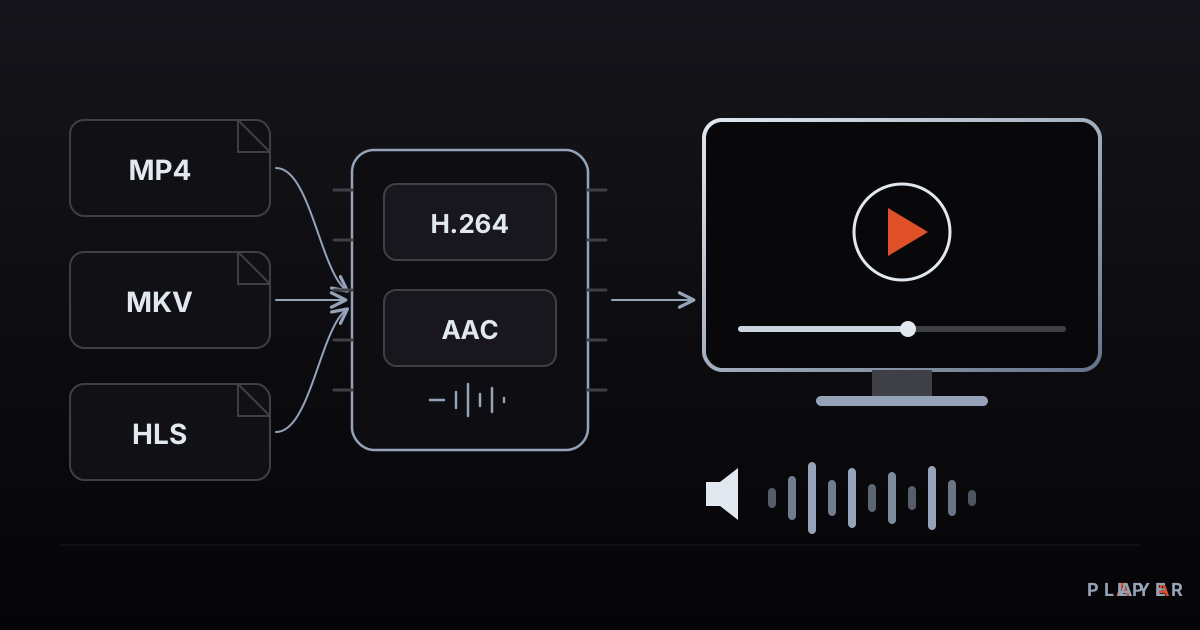 Media player guide
What Is a Media Player? How It Works
What is a media player and how does it turn files and streams into picture and sound? Learn how it works, the main types, and how to choose one.
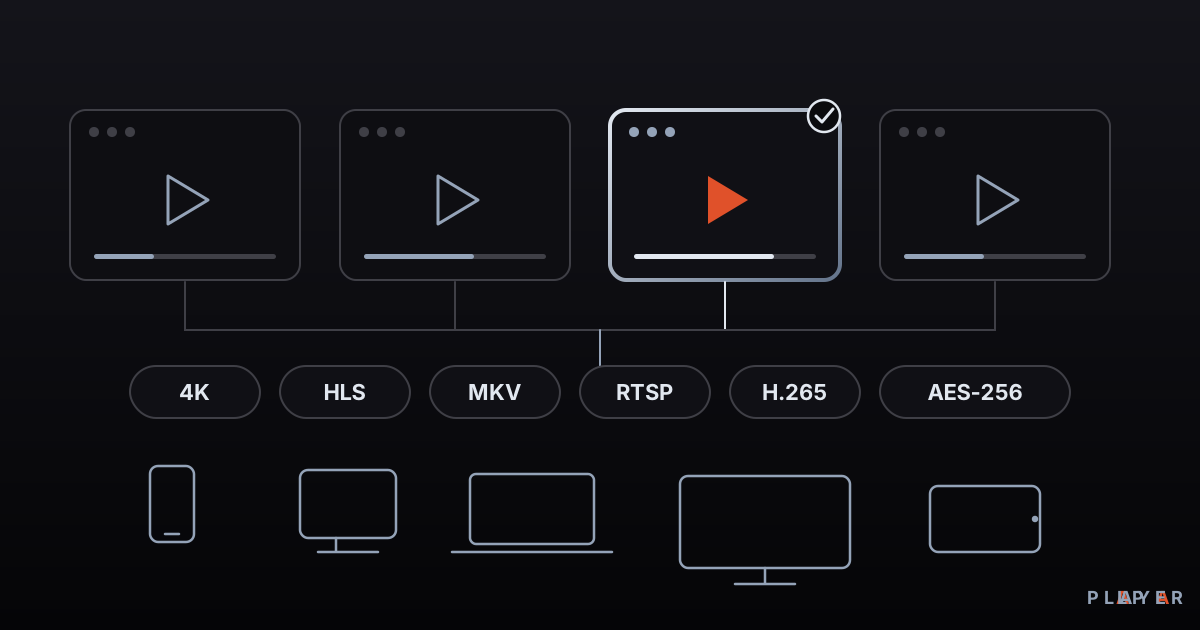 Media player guide
Best Media Player Apps: How to Choose
There is no single best media player. Compare VLC, Kodi, MX Player, Plex and Alpa Player by device, formats, cost and privacy, then pick your fit.
 Media player guide
Free Video Player: What "Free" Really Means
What does a free video player really cost? See how open source, ad-supported and freemium models differ, which hidden costs to expect, and how to choose safely.