
What Is a Media Player? Types, How It Works and Examples
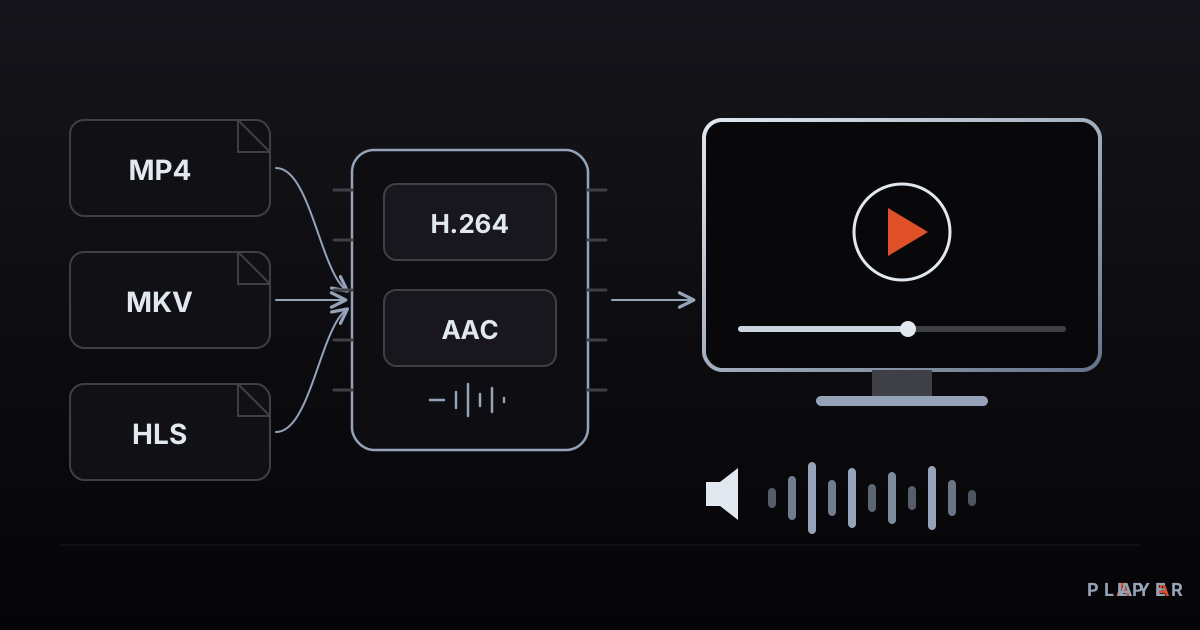
Short answer: A media player is software that opens audio and video files or network streams on a computer, phone or TV and plays them back. It reads the source, unpacks the container, decodes the compressed picture and sound, and sends both to the screen and speakers in sync. Alpa Player is a free media player developed by Alpa Yazılım.
Key takeaways
- A media player reads a source, splits it into audio and video, decompresses them, and delivers both to your screen and speakers in sync.
- Container (MP4, MKV), codec (H.264, AAC) and protocol (HTTP, HLS, RTSP) are three different things, and a file that will not open is usually a codec problem.
- A local file lives on your device, while a network stream arrives piece by piece, so connection quality decides how smooth it feels.
- Players fall into five broad groups: built-in, general-purpose, media centers, server-based systems and TV-first apps.
- Alpa Player supplies no content; it is a free player that plays your own sources on Android, Android TV, Samsung, LG and Windows.
When you double-click a video, a picture appears within a second, but a small piece of engineering runs behind it. The audio and video inside the file are separated, decompressed, and delivered to your screen and speakers at exactly the right moments. The software that does this is called a media player. This guide covers what a media player is, how it works, which kinds exist, and how to pick one for your devices.
What is a media player?
A media player is software that plays audio and video content on a device's screen and speakers. The content can be a file stored on the device, or a stream arriving over the internet or a home network. The player opens the source, decodes the compressed data, keeps picture and sound aligned, and gives you controls such as pause, seek and volume.
You probably use several media players already. The gallery app on your phone, the video app on your laptop, the player apps on your TV, and the video box embedded in a website are all media players. Each takes data from a source and turns it into something you can watch or hear.
A media player is not content. It does not provide movies, shows or music; it only opens material you own or have the right to watch. That distinction matters technically and legally. For the legal side, see our article on whether media player apps are legal.
How does a media player work?
A media player works in four steps: it reads the source, splits it, decodes it, and presents it. The details vary, but almost every player follows this order.
- Read. A file comes off a disk; a stream comes over the network. For streams the player keeps a small buffer so playback can start before the whole download finishes.
- Demux. A file such as an MP4 or MKV packs video, audio and subtitle tracks into one package. Demuxing opens that package and separates the tracks.
- Decode. Picture and sound are compressed with codecs to keep files small. The player reverses that compression and recovers raw video frames and audio samples.
- Render. Frames are drawn on the screen and audio goes to the speakers. Both tracks are timed against a shared clock so lips and voices match.
If any link in this chain does not recognize the file, you get a "cannot play" message. Often the file is fine and the device lacks support for that codec.
Hardware or software decoding?
Decoding can be done in two ways. With software decoding, the main processor (CPU) does the math. It is flexible, but it works hard at high resolutions and drains the battery. With hardware decoding, a dedicated video block inside the chip takes over. It uses less power and keeps heavy content such as 4K smooth, but it only handles the codecs and profiles the chip maker built in. A good player uses hardware decoding when it can and falls back to software when it must. For a closer look at the codecs themselves, read our H.264, H.265 and AV1 comparison.
What is the difference between a container, a codec and a protocol?
A container is the file's box, a codec is the compression method used for the picture and sound inside it, and a protocol is the set of rules for moving data across a network. People mix these up all the time, so a quick table helps.
| Concept | What it does | Examples |
|---|---|---|
| Container | Packs video, audio and subtitles into one file | MP4, MKV, WebM, AVI |
| Codec | Compresses and decompresses picture or sound | Video: H.264, H.265, AV1. Audio: AAC, MP3, Opus |
| Protocol | Defines how data travels over a network | HTTP, HLS, MPEG-DASH, RTSP |
| Playlist | Lists which files or streams to play, and in what order | M3U, M3U8 |
Two files with the same extension can hold different codecs. That is why one MP4 may open on your TV while another refuses. To learn how containers differ, read MP4 vs MKV; for the playlist format, see what an M3U file is.
What is the difference between a local file and a network stream?
A local file sits entirely on your device, while a network stream is delivered from a server in small pieces. That difference shapes what you can expect.
- Local file: No internet needed. Seeking is nearly instant. Quality depends on the file and on how much decoding power your device has.
- Single HTTP link: The file plays while it downloads. If the connection slows down, playback can stall.
- HLS stream: The video is cut into short segments, and a manifest file describes them. The player can switch quality as your bandwidth changes. See what HLS is and how adaptive bitrate streaming works.
- RTSP stream: Common with IP cameras and surveillance systems. We cover it in what RTSP is and how to watch an IP camera.
Live streams limit seeking because the content is still being produced; on-demand video already exists in full, so you can jump anywhere.
What types of media players are there?
Media players fall into five broad groups based on what they are built for. The table gives well-known examples for each group; it is a map, not a ranking.
| Type | What it does | Example |
|---|---|---|
| Built-in players | Ship with the operating system and open common formats | The built-in Windows player, QuickTime Player on macOS |
| General-purpose players | Bundle many formats and settings in one app | VLC, mpv |
| Media centers | Organize a library, show artwork and details, support add-ons; made for living-room screens | Kodi |
| Server and client systems | Organize your own collection on a server and stream it to apps on other devices | Plex, Jellyfin |
| TV-first player apps | Designed for a remote control and play the sources you add yourself | Alpa Player |
No group wins in every situation. To manage a big personal library from a computer at home, a server-based system makes sense. To play your own playlists and links comfortably with a remote, a TV-first player fits. For a side-by-side view, read how to choose the best media player.
What is a playback engine?
A playback engine is the component inside an app that does the demuxing, decoding and rendering.
On Android, two engines are widely used: ExoPlayer, part of Google's Media3 project, and libVLC, the library behind VLC. Some players use one; some offer both. When a video stutters in one engine but plays well in the other, being able to switch is a real advantage. We compare them in ExoPlayer vs VLC playback engines.
What does Alpa Player do as a media player?
Alpa Player is a free media player developed by Alpa Yazılım. There is no account, subscription or purchase, and it is a non-profit project. The app contains no ready-made channels, movies, shows or lists. Alpa Player is not a streaming service; it only plays sources that the user has the right to use.
- What it plays: M3U and M3U8 playlists, HLS streams, MP4, MKV, RTSP and more.
- Source types: a playlist address, a single video or stream link, a server account from your service provider (username and password), and an organization account.
- Platforms: Android phones and tablets; Android TV, Google TV and TV boxes; Samsung TV (Tizen 2020 and later); LG TV (webOS 2020 and later); Windows. An iPhone and iPad version is coming soon.
- Interface: Clean in the spirit of Apple TV and Netflix, and equally comfortable with a remote, touch or a mouse. It offers resume playback, favorites, recently watched items and a program guide.
- Security: Addresses and passwords you add are stored encrypted with AES-256 in the device's secure storage, never shown on screen, and never sent to Alpa Yazılım.
Typing long addresses with a TV remote is tedious, so the Add Source screen shows a MAC address and a 6-digit key. You enter both on the playlist upload page from your phone or computer and add your source yourself. Each upload is logged with the IP and MAC address, and the uploader is responsible for it. To try the app, download Alpa Player for free; the current download status is listed in the download section.
How do you choose the right media player?
To choose well, decide first which device you will watch on and which sources you will play. Five questions usually settle it.
- Which device? Phones, computers and TVs have different needs. On a TV, smooth navigation with a remote matters a lot.
- Which formats? Do you need MKV, HLS, RTSP or something else?
- What does it cost? Free, ad-supported, one-time purchase and subscription are very different deals. Our piece on free video players explains them.
- How is privacy handled? Check how the app stores your passwords and where you download it from. We cover this in media player privacy and security.
- Are the features enough? Run through resume playback, favorites, subtitles and audio track choice with our video player features checklist.
Your answers should leave one or two candidates. Test them with your own files and sources. Alpa Player's browser-based demo lets you see the interface with openly licensed sample videos before installing anything.
Frequently asked questions
Is a media player the same as a video player?
Mostly yes. A video player focuses on moving pictures, while a media player also covers music and other audio. Nearly every video player plays sound as well, so the two terms are usually used interchangeably in everyday conversation.
Do I need to install a codec pack for my media player?
Usually not. Modern players include the common codecs. Downloading codec packs from unknown websites carries a malware risk. If a file will not open, update the player first and, where possible, try a different playback engine.
Why does my video have sound but no picture?
Most often the video codec in the file is not supported by your player or device. The container opens, so you hear audio and may see a running time, but the picture cannot be decoded. Updating the player, switching to software decoding or trying another engine usually fixes it.
Does a media player need an internet connection?
Not for local files stored on your device. Network streams, remote playlists and server accounts do need a connection, and the speed and stability of that connection decide how smooth playback will be.
Does Alpa Player provide any content?
No. Alpa Player has no ready-made channels, movies, shows or lists, and it is not a streaming service. It plays playlists, links, server accounts and files that you have the right to use. Adding a source and making sure it is lawful is the user's responsibility.
Which devices does Alpa Player run on?
It runs on Android phones and tablets, Android TV, Google TV and TV boxes, Samsung TVs (Tizen 2020 and later), LG TVs (webOS 2020 and later) and Windows. An iPhone and iPad version is coming soon. Check the download section for the current status.
Sources
Related articles
 Media player guide
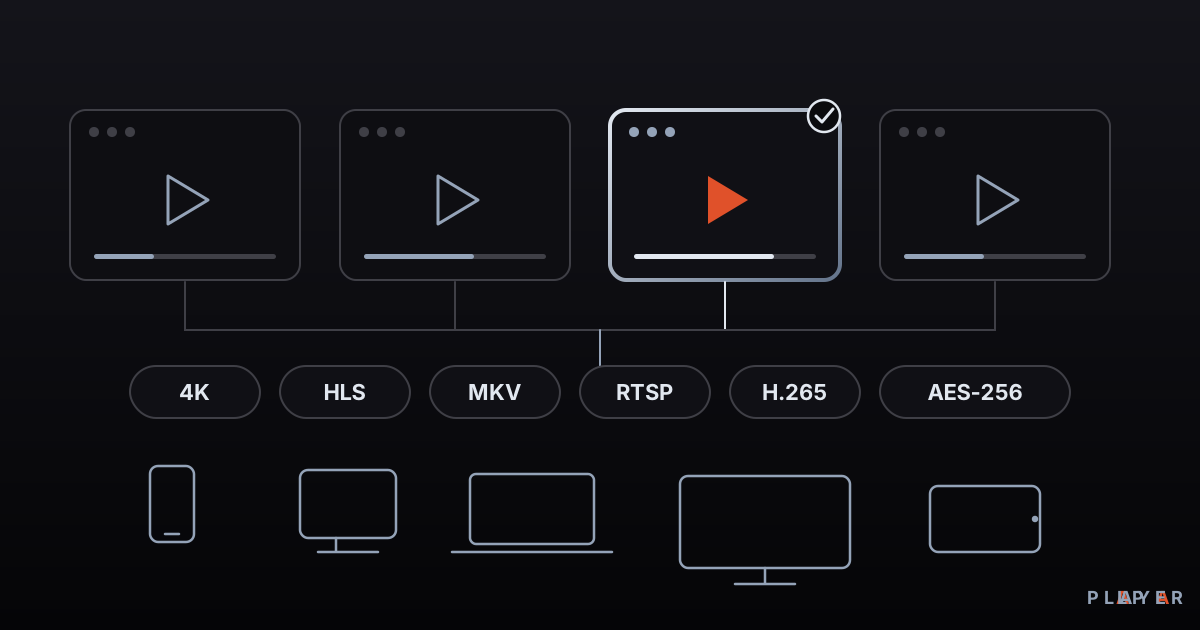
Best Media Player Apps: How to Choose
There is no single best media player. Compare VLC, Kodi, MX Player, Plex and Alpa Player by device, formats, cost and privacy, then pick your fit.
 Media player guide
Free Video Player: What "Free" Really Means
What does a free video player really cost? See how open source, ad-supported and freemium models differ, which hidden costs to expect, and how to choose safely.
 Media player guide
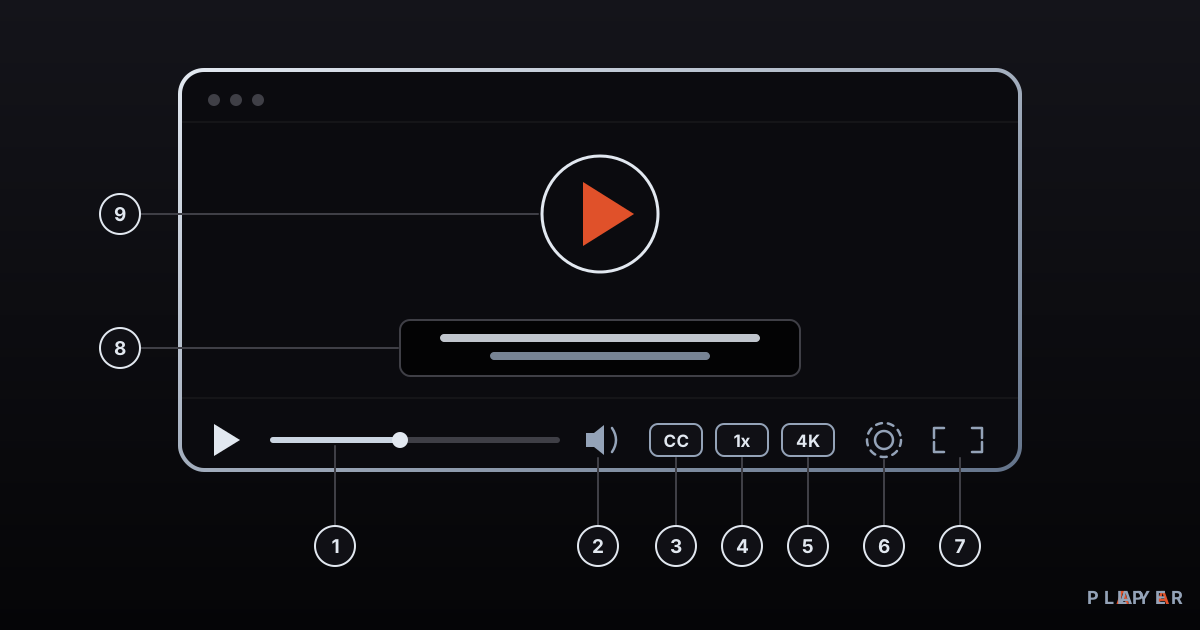
Video Player Features: A 12-Point Checklist
Which video player features matter? This 12-point checklist covers formats, subtitles, streaming, remote-friendly design and security so you can choose well.