
How to choose an Android TV box: processor, RAM, codecs and certification
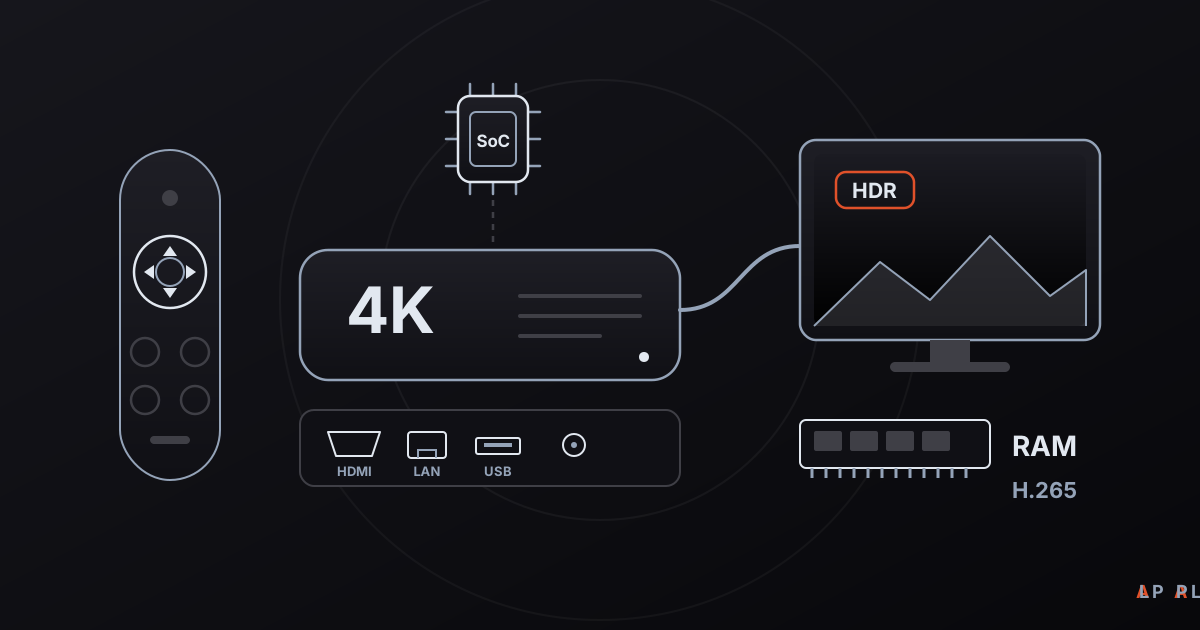
Short answer: When buying an Android TV box, first check for Google-certified Android TV or Google TV software, then look for hardware H.265 decoding for 4K, at least 2 GB of RAM (4 GB for comfortable use), 16 GB or more of storage, HDMI 2.0, Ethernet and current Wi-Fi. Alpa Player, a free media player from Alpa Yazılım, runs on Android TV boxes.
Key takeaways
- Google-certified Android TV or Google TV software is a safer choice than an uncertified "Android box" for store access and app compatibility.
- For 4K, make sure the chip decodes H.265 (HEVC) in hardware; AV1 and some HDR formats appear mainly on newer chips.
- A practical floor is 2 GB of RAM and 16 GB of storage, while 4 GB and 32 GB age better.
- An Ethernet port, HDMI 2.0 and up-to-date Wi-Fi decide whether 4K streams play without stutter.
- Alpa Player runs on Android TV and TV boxes; the Android APK is available from alpaplayer.com now, and the Google Play version is coming soon.
This Android TV box buying guide exists because two boxes at the same price can behave very differently. An Android TV box is a small device that plugs into a TV over HDMI and runs an Android-based system. It can bring an older TV up to date, or replace a smart TV's sluggish built-in interface with a faster one. Product listings love to shout "4K", "8K" or "six cores", but what really separates a good box from a poor one is the software certification, the video decoding hardware and the ports.
Below we put the things to check in order and finish with a checklist you can take shopping. As a running example we use Alpa Player, a free media player developed by Alpa Yazılım, though most of the criteria apply to any player.
Which distinction should an Android TV box buying guide start with?
The first distinction is whether the device runs Google-certified Android TV or Google TV software. Certified devices include the official app store, core apps pass Google's compatibility testing, and the interface is designed for a remote. Uncertified "Android box" devices usually ship a build with no store or a third-party one, and the interface may be a phone layout stretched across a TV.
The table sums up the two types. For background reading, see the Wikipedia articles on Android TV and Google TV.
| Feature | Certified Android TV / Google TV | Uncertified Android box |
|---|---|---|
| App store | The official store is built in. | Missing, or a different store. |
| Interface | Designed for navigating with a remote. | May be a phone interface adapted to TV. |
| Protected content (HD/4K) | Often backed by Widevine L1. | Frequently limited to lower resolution. |
| Updates | More regular security updates are expected. | Update promises are often vague. |
| Price | Usually higher | Usually lower |
If you do pick an uncertified box, you may need to install apps from APK files. In that case it is essential to use official sources only; how to install an APK on Android TV walks through the safe way.
How much processor power, RAM and storage do you need?
For everyday 4K viewing, a practical floor is 2 GB of RAM and 16 GB of storage, while 4 GB and 32 GB keep a box feeling smooth for several years. The numbers below are general recommendations rather than hard rules, and they vary by manufacturer and software version.
| Tier | RAM | Storage | Network | Suits |
|---|---|---|---|---|
| Basic | 2 GB | 16 GB | 100 Mbit Ethernet, Wi-Fi 5 | Full HD viewing, a few apps |
| Mid | 3-4 GB | 32 GB | Gigabit Ethernet, Wi-Fi 5 or 6 | 4K streaming, several apps |
| High | 4 GB or more | 32-64 GB or more | Gigabit Ethernet, Wi-Fi 6 | High-bitrate 4K files, many apps |
On the processor, the video decoding block matters more than the core count. Two chips with the same number of cores can differ greatly in which codecs they support. The next section covers that.
Which video codecs and HDR formats should the box support?
A good box decodes H.264 and H.265 (HEVC) in hardware, VP9 is widely supported, and AV1 appears on newer generations of chips. A codec without hardware support gets decoded in software, which at high resolutions leads to dropped frames. Our article on H.264, H.265 and AV1 explains how they differ.
- H.264 (AVC): Plays smoothly on virtually every box.
- H.265 (HEVC), 10-bit: Practically required for 4K and HDR content.
- VP9: Common in online video services.
- AV1: More efficient, but hardware decoding exists only on recent chips.
HDR, audio and frame rate
HDR10 is present on almost every HDR-capable device. Dolby Vision and HDR10+ involve licensing and hardware, and both the box and the TV must support them. On the audio side, a box that passes Dolby Digital and similar formats through HDMI untouched (passthrough) matters if you use a soundbar. For movie fans, frame-rate matching (24p) smooths motion. More background is in 4K HDR video playback.
Widevine and protected content
Many subscription streaming apps require the hardware-backed Widevine L1 protection level for HD and 4K, and uncertified boxes often lack it. A media player that plays your own files, or streams you have the right to use, does not depend on it. If the same box will also run subscription apps, though, ask before you buy.
Which ports and network features matter?
Three things matter on the connection side: the HDMI version, an Ethernet port and the wireless standard. 4K at 60 Hz needs HDMI 2.0 and HDCP 2.2, while HDMI 2.1 adds higher frame rates and newer audio features, provided both the box and the TV support it.
On the network, Ethernet is steadier than wireless. A 100 Mbit port is fine for most streams, but Gigabit is safer if you will play high-bitrate local files from another machine. For 4K streaming, 15 to 25 Mbps is generally considered enough, and on Wi-Fi it is signal quality that decides whether you get there. We compare the two options in Wi-Fi versus Ethernet for streaming.
- USB port: Needed to play files from an external drive; USB 3.0 is faster.
- Bluetooth: For a remote, keyboard or headphones.
- Optical or HDMI ARC/eARC output: For people connecting a sound system.
Box or stick: which form factor should you buy?
Sticks are small, cheap and portable, while boxes usually offer better cooling, an Ethernet port and more connections. Heat is a hidden criterion for anyone who watches long films: a poorly cooled device may slow down partway through.
Amazon's Fire TV devices run Fire OS, an Android-based system that differs from Android TV and has its own store. Alpa Player supports Fire TV, and the Amazon Appstore version is coming soon. For that family of devices, read Fire TV Stick media player.
What is a good pre-purchase checklist?
Run through this list while shopping, and disappointment becomes much less likely:
- Ask the seller to confirm in writing that the device runs Google-certified Android TV or Google TV.
- Find the chip's name and check its hardware-decoded codecs in the manufacturer's documentation.
- Verify the real RAM and storage figures against independent reviews, and treat inflated numbers with suspicion.
- Look for HDMI 2.0 or newer, an Ethernet port and a current Wi-Fi standard.
- Check whether the remote also controls the TV, and whether it connects over Bluetooth.
- Learn the update and warranty terms before you pay.
- Consider cooling and size.
Confirm the numbers from the technical specification page and from independent tests rather than from marketing text on the packaging. Unrealistically high RAM or "8K" claims are usually a red flag.
How does Alpa Player work on an Android TV box?
Alpa Player is a free media player that runs on Android TV, Google TV and TV boxes. Its interface follows an Apple TV and Netflix style of simplicity, with smooth navigation using the arrow keys on a remote. There is no sign-up, subscription or purchase. The Android APK is available from alpaplayer.com now through the direct download, and the Google Play version is coming soon. The latest status is on the download section.
On playback, Android uses an ExoPlayer (Media3) based engine by default, and you can switch to a VLC engine or an external player if a stream misbehaves. It plays M3U and M3U8 playlists, HLS, MP4, MKV and RTSP sources. Which videos run smoothly still depends on the box's decoding hardware, so the criteria above apply to Alpa Player too.
Alpa Player ships with no channels, movies or series; it is not a streaming service and plays only sources you have the right to use. To add your first source without typing long addresses on a remote, follow uploading a playlist to your TV. For a broader view of player options on this platform, see the Android TV media player guide.
Frequently asked questions
Is an Android TV box the same as Google TV?
Not exactly. Android TV is Google's operating system for televisions, and Google TV is a newer interface built on top of it that puts more emphasis on content recommendations. Both imply Google-certified software on a certified device. When shopping, certification matters more than the name of the interface.
How much RAM does an Android TV box need?
For everyday use and 4K streaming, a practical floor is 2 GB of RAM and 16 GB of storage. If you will run several apps and want the box to stay smooth for years, 4 GB of RAM and 32 GB of storage are safer. Check these figures against independent reviews.
Is an uncertified Android box risky?
There are risks: the official store may be missing, protected HD and 4K content may not play, and security updates are uncertain. If you use one, install apps only from official sources, switch off the unknown sources permission when you finish, and avoid entering important passwords on the device.
What does a box need for 4K HDR?
It needs a chip that decodes 10-bit H.265 (HEVC) in hardware, an HDMI 2.0 output with HDCP 2.2, HDR10 support and enough network speed. Dolby Vision and HDR10+ require support from both the box and the TV, so check your television's HDR capabilities as well.
Does Alpa Player work on an Android TV box?
Yes. Alpa Player is a free media player that runs on Android TV, Google TV and TV boxes. You can download and install the Android APK from the official link on alpaplayer.com, and the Google Play version is coming soon. Smooth playback also depends on the box's video decoding hardware.
Sources
Related articles
 Device guides
Media Player for Android TV: How to Choose
Looking for a media player for Android TV? See what to look for, compare popular options and set up Alpa Player, a free app built for the remote.
 Device guides
Samsung Smart TV Media Player: Options for 2026
Need a Samsung smart TV media player? Learn how Tizen apps work, which models Alpa Player supports and how to watch your own videos today.
 Device guides
LG webOS Media Player: Compatibility and Setup
Looking for an LG webOS media player? See which models work, how the LG store route differs from APKs, and how to load a playlist without typing.